How to Choose the Best Die Cut Label Printer for Your Needs?
Choosing the right Die Cut Label Printer can significantly impact your business. Industry expert Jane Matthews, a renowned printing consultant, emphasizes, “The right printer can enhance branding and efficiency.” With so many options available, the decision-making process can feel overwhelming.
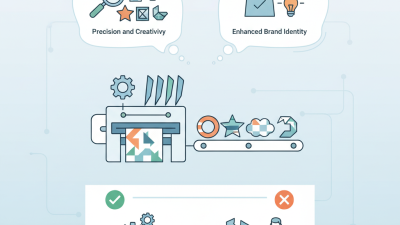
Die Cut Label Printers offer unique advantages, including precision and creativity in label design. However, what works for one business might not fit another. Consider your specific needs, such as print volume, label sizes, and types of materials. Different models cater to varying requirements, and understanding these can lead to better choices.
Investing in a Die Cut Label Printer requires thorough research. Explore user reviews and expert recommendations to gauge reliability and performance. It’s crucial to reflect on your operational demands. Ensure the printer aligns with your business goals before making a commitment. The right choice can streamline operations and boost your marketing efforts.
Understanding Your Label Printing Needs
Understanding your label printing needs is vital before selecting a die cut label printer. First, consider the types of labels you intend to create. Are they for products, events, or home organization? Each application has different requirements. For example, product labels often need to include barcodes, while event labels may require vibrant colors and distinctive shapes.
Next, evaluate the volume of labels you will print. If you need a large quantity, seek a printer with high-speed capabilities. However, for occasional use, a more affordable, compact model may suffice. It's also essential to think about the materials you want to use. Some printers handle various types of media, including vinyl or paper, while others may be limited.
Lastly, consider your budget. Printers vary widely in price, and you may need to compromise on features. Research user reviews to understand others' experiences with specific models. Reflect on what you actually need versus what looks appealing. Your choice of a printer should align with your practical label printing needs, not just flashy features. This approach will save you time and money in the long run.
Label Printer Performance Comparison
Key Features to Consider in a Die Cut Label Printer
When selecting a die cut label printer, it's crucial to consider key features that match your specific needs. A study by Smithers Pira indicates that the digital label printing market is projected to grow to $25 billion by 2025. This growth highlights the increasing demand for versatile and efficient label printers.
One vital feature is print resolution. For high-quality labels, aim for a printer with at least 1200 DPI. This ensures crisp graphics and text clarity. Another important aspect is the speed of printing. A printer that can deliver over 10 inches per second can significantly enhance productivity, especially for businesses with high-volume printing needs. Look for models offering customizable die-cut shapes, as this flexibility can set your products apart.
Additionally, compatibility with various materials is essential. As per recent industry reports, nearly 45% of businesses value printers that can handle different substrates. This adaptability can impact your printing costs. While many printers boast impressive specs, it's important to research user reviews and expert insights. Features may sound perfect on paper but may fall short in real-world applications. Balancing your expectations with practical performance is key.
Comparing Different Types of Die Cut Label Printers
When comparing different types of die cut label printers, several factors come into play. First, consider the technology each printer employs. Thermal printers are popular for their speed and efficiency. They can produce high-quality labels quickly, making them ideal for businesses with high-volume needs. According to industry research, thermal printers can cut production costs by up to 30%. However, they may not always offer the flexibility of printing on various materials.
Inkjet printers, on the other hand, produce vibrant colors and complex images. They excel in creating labels with intricate designs. Data from market analysis highlights that inkjet labels can have a competitive edge in aesthetic appeal, catering to brands looking for premium presentations. Still, inkjet printers have some limitations, such as slower print speeds and higher ink costs.
Another aspect to consider is the size and capacity of the printer. Some models are compact, making them suitable for small spaces. Others can handle larger rolls, accommodating bigger jobs. It's crucial to evaluate the scalability of your needs. Some businesses may outgrow their equipment quickly, leading to additional expenses down the line. Balancing these factors will ensure you choose a printer that fits both current and future needs.
Evaluating Print Quality and Speed Requirements
When choosing a die cut label printer, print quality often takes precedence. You want your labels to stand out with vivid colors and sharp details. A printer with high resolution will yield better images, ensuring that even small text remains legible. Look for specifications that mention DPI (dots per inch). Typical quality ranges from 300 to 1200 DPI. Higher values often result in clearer labels.
Speed is another crucial factor. If your business requires a high output, a printer with faster printing speeds is essential. Many printers can produce labels in as little as two inches per second. However, keep in mind that speed can sometimes sacrifice quality. You might find that choosing a balance between quality and speed suits your needs better. Reflect on your volume requirements. High-speed printing may lead to errors, causing additional waste.
Don’t overlook your specific application. Different labels serve various purposes. Consider whether your labels need to withstand UV light, moisture, or heat. Each requirement may influence your choice of printer. Quality control is vital; inconsistent print results can undermine your brand's credibility. It's wise to invest in sample prints to assess both quality and speed before making a final decision.
How to Choose the Best Die Cut Label Printer for Your Needs?
| Feature |
Low-End Model |
Mid-Range Model |
High-End Model |
| Print Resolution (dpi) |
300 |
600 |
1200 |
| Print Speed (Labels/min) |
5 |
15 |
30 |
| Media Types Supported |
Paper |
Paper, Vinyl |
Paper, Vinyl, Thermal |
| Connectivity Options |
USB |
USB, Bluetooth |
USB, Bluetooth, Wi-Fi |
| Price Range (USD) |
$100 - $200 |
$300 - $600 |
$800 - $1500 |
Budgeting for Your Die Cut Label Printer Purchase
When budgeting for a die cut label printer, consider your needs carefully. Identify the types of labels you need to create. This will impact the specifications you require, such as print speed and durability. Understanding the scope of your projects helps in selecting a model that aligns with your budget.
Set a realistic budget range. Low-end models may save you money initially but could lead to higher operational costs later. Look for printers that offer a balance between affordability and quality. Additionally, factor in the cost of materials and maintenance. This ongoing expense can affect your overall budget significantly.
Don’t forget hidden costs. Software compatibility, print head replacements, and consumables vary widely. Research your options thoroughly. Seek expert reviews and user testimonials. This process ensures your investment is sound and meets industry standards. While it’s tempting to opt for the cheapest solution, reflect on long-term implications. A more expensive model may ultimately offer better reliability and lower costs over time.

 Contact immediately

 Contact Phone
 Contact Email