Why Choose a Die Cut Label Printer?
Why Choose a Die Cut Label Printer? The answer begins with control. A Die Cut Label Printer can produce labels in precise shapes, sizes, and materials without relying on standard rectangles. That matters when a small jar needs a curved front label, or a shipping carton requires a durable identification sticker. Clean edges improve shelf appearance. Accurate cutting also supports consistent application.
Mike Fairley, founder of the Label Academy and a respected label-industry consultant, describes packaging as “the silent salesperson.” His observation explains why label shape deserves serious attention. A distinctive die cut can guide the eye before customers read the product name. It can also leave space for barcodes, ingredients, batch details, and brand messages. Less waste, too.
A modern Die Cut Label Printer can support short runs, variable designs, and quick production changes. This helps small brands test seasonal packaging without ordering excessive inventory. It also benefits established manufacturers managing several product sizes. Still, die cutting is not automatically the best choice. Complex shapes may increase setup time, material waste, or finishing costs. That trade-off deserves honest review.
The practical decision depends on volume, substrate, adhesive performance, and required accuracy. Ask for physical samples. Test labels on cold bottles, textured boxes, or curved containers. Watch for lifting corners and misaligned cuts. Those details matter.
A Die Cut Label Printer is valuable when appearance and precision must work together. It is not a magic solution. Good results still require thoughtful artwork, suitable materials, and experienced production control.
What Is a Die Cut Label Printer?
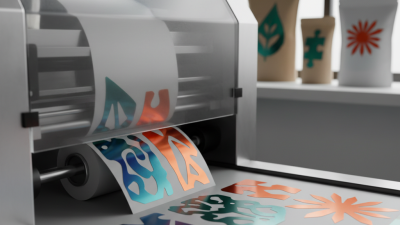
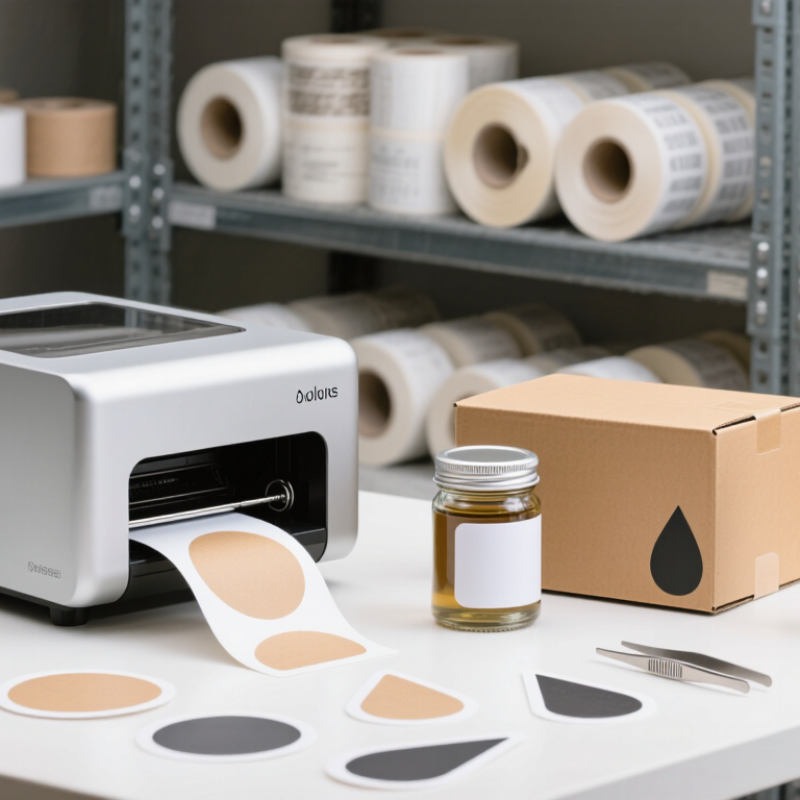
A die cut label printer creates labels in specific shapes instead of simple rectangles. It prints artwork and separates each label along a defined cutting line. The cut may follow a circle, bottle outline, leaf, badge, or custom logo shape. Some systems use pre-cut label rolls. Others print and digitally cut the material during production. This difference matters when comparing equipment.
The main advantage is visual accuracy. A shaped label can fit a container more naturally and reduce unused backing material. It also helps products stand out on crowded shelves. In practical testing, check the cut edge under bright light. Small fibers or uneven corners may appear, especially with thick stock. The first layout may look perfect on screen, yet feel too crowded after cutting. That is an easy mistake to overlook.
Tips: Match the printer with your material, adhesive, and expected volume. Test a small batch before ordering large quantities. Leave enough space between artwork and the cut line. Keep text away from narrow corners. Confirm the printer supports your preferred file format and label width. A short test can expose alignment problems early. Also inspect labels after storage, because temperature and humidity can affect curling. Reliable results require more than sharp printing. They depend on correct cutting settings, stable materials, and careful inspection.
How Die Cut Label Printing Works
Why Choose a Die Cut Label Printer?
How Die Cut Label Printing Works
A die cut label printer produces labels in precise, custom shapes. The process starts with digital artwork prepared at the correct size. Bleed and safe margins help prevent white edges or clipped text. These details matter more than many first-time users expect.
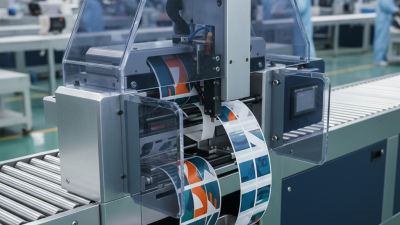
The printer applies ink to adhesive stock, film, or paper. A cutting unit then follows the programmed outline. It may use a shaped blade for repeated designs or a digital knife for flexible runs. Kiss cutting slices through the label face but leaves the backing intact. Full cutting separates the entire label from the sheet. Sensors check registration between the printed image and cutting path. Small shifts can still happen.
Good operators test a few samples before running the full batch. They inspect corners, lettering, adhesive edges, and liner damage. A sharp corner may lift during application. A tiny label can also lose detail when the cut line sits too close to the artwork.
It is not flawless.
Material choice changes the result. Glossy film can resist moisture, while textured paper creates a softer visual feel. Blade pressure must match the material thickness. Too much pressure marks the liner; too little leaves incomplete cuts. In practice, careful calibration often matters as much as printer speed. The workflow is efficient, but it still rewards patience and honest quality checks.
Key Benefits of Using a Die Cut Label Printer
Why Choose a Die Cut Label Printer?
Key Benefits of Using a Die Cut Label Printer
A die cut label printer turns printed label stock into custom-shaped pieces with clean edges. Unlike standard rectangular labels, it follows a logo, bottle contour, or warning panel. This flexibility helps products look intentional on shelves, packages, and sample kits. In my experience, shape accuracy matters most when labels wrap around narrow containers. Small alignment errors become obvious there.
One key benefit is production control. A business can print only the quantity needed, reducing outdated labels and storage space. Digital workflows also support quick artwork changes without ordering a new cutting plate. That saves time during seasonal launches or regulated information updates. Short runs become practical. Yet results depend on correct file setup, blade pressure, and material choice. I have seen glossy stock show scuffed edges when settings were rushed. A test sheet is inexpensive insurance.
Die cutting also improves usability. Rounded corners lift less easily, while shaped tabs can make opening packages simpler. Durable face materials and suitable adhesives help labels withstand moisture, handling, and temperature changes. Operators should check adhesion on the actual surface, not only on a sample card. This step is often skipped. It should not be. A reliable printer should offer repeatable registration, clear maintenance guidance, and measurable color output. However, no machine removes the need for inspection. Checking the first and last labels can reveal drift before a full batch is packed.
Important Features to Consider Before Choosing One
Why Choose a Die Cut Label Printer?
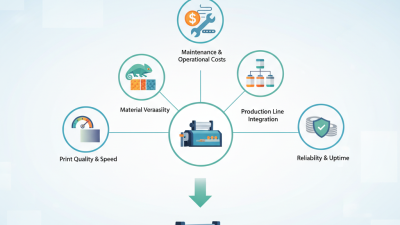
A die cut label printer can turn digital artwork into finished labels without separate cutting equipment. The right model should match your daily materials, not just your desired output speed. Check print resolution carefully. Small text, barcodes, and fine borders need clean edges. Test adhesive stocks, textured papers, clear films, and different thicknesses before purchasing. A machine may handle one material well and struggle with another.
Cutting accuracy matters as much as print quality.
Ask for sample runs with narrow margins and unusual shapes. Inspect corners, lettering, and waste removal under normal lighting. Software should support common file formats and make size changes simple. Automatic registration can reduce errors when artwork contains several colored elements. Still, calibration may be needed after long runs. That detail is easy to overlook.
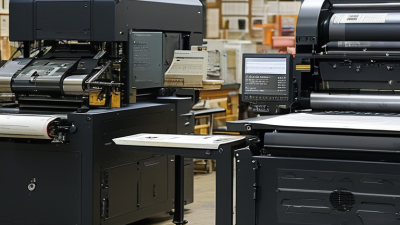
Consider maintenance, noise, power use, and operator training. Replaceable blades and accessible printheads can reduce downtime. A clear control panel helps new users avoid costly setup mistakes. Speed is useful, but consistent quality usually matters more.
I once prioritized fast output during a production trial and underestimated material changes. The schedule looked impressive. The waste did not. Request a realistic demonstration, including setup, cleaning, cutting, and finished-label inspection. Review service response times and spare-part availability in writing. A lower purchase price can become expensive when support is slow.
Common Applications for Die Cut Printed Labels
Die cut label printers are useful when ordinary rectangular labels feel too plain or waste space. Their cutting systems create custom shapes that match bottles, boxes, jars, tools, and promotional packaging. In real production, a label’s shape often affects handling as much as appearance. Rounded corners resist lifting on chilled containers. Narrow labels fit small tubes and cables. Large front labels provide room for ingredients, instructions, and tracking details.
Common applications include food packaging, candle containers, cosmetics, household products, shipping cartons, and event materials. A die cut printed label can highlight a logo, frame a product name, or create a memorable seal.
Durable synthetic materials work well in damp kitchens or busy warehouses. Paper labels suit short-term packaging and retail displays. I have found that teams sometimes choose complex shapes too quickly. They may look attractive, but tiny points can tear during application.
Tips: Match the label material to its environment. Test adhesion on the actual surface, especially glass, textured cardboard, or curved plastic. Leave enough space for readable text. A practical sample can reveal problems that a screen preview misses. Check cutting accuracy, edge smoothness, and barcode clarity before ordering a large batch.
Small businesses may use die cut labels for limited seasonal runs. Manufacturers may apply them to cartons, components, or inspection packs. Retail teams often use them for shelf identification and packaging upgrades. The best design is not always the most decorative one. It should apply cleanly, remain readable, and support the product’s daily use.

 Contact immediately

 Contact Phone
 Contact Email