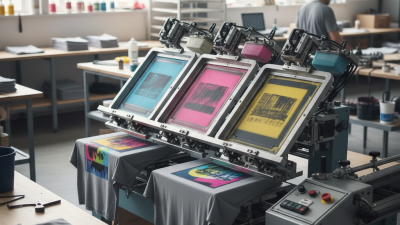
How to Choose the Best 4 Color Screen Printing Machine?
Choosing the best 4 Color Screen Printing Machine can significantly impact your business's success. According to a recent industry report by Smithers Pira, the global screen printing market is projected to reach $22 billion by 2025. This growth indicates a rising demand for efficient, reliable, and versatile printing equipment. A 4 Color Screen Printing Machine is essential for many businesses, allowing for diverse design applications and high-quality output.
Selecting the right machine involves understanding various factors. Features like ease of use, durability, and print quality are crucial. Machines with advanced technology often provide better results, yet they may come with a steeper learning curve. Balancing cost and functionality is vital. The right choice can lead to increased productivity and profitability. However, not every machine guarantees success.
It's essential to examine manufacturers' reputations and customer reviews. A reliable brand often reflects product quality. Data from industry experts suggests that support and service play significant roles in long-term satisfaction. Potential buyers should weigh these aspects carefully. Ultimately, investing in a high-quality 4 Color Screen Printing Machine could drive your business forward.
Understanding the Basics of 4 Color Screen Printing Machines
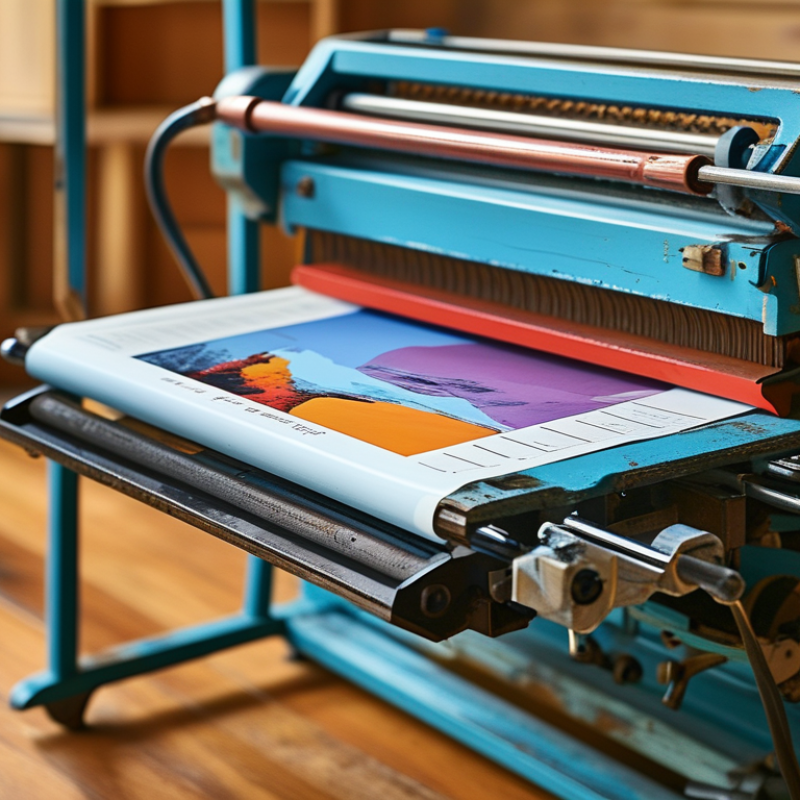
When considering a 4 color screen printing machine, understanding its basics is crucial. This printing technique allows for the transfer of vivid designs onto various surfaces. Many businesses in the custom apparel market have reported a surge in demand for high-quality prints. According to Smithers Pira, the screen printing market is expected to grow significantly over the next five years.
Choosing the right machine involves assessing your production needs and budget. Look for features such as adjustable print heads and ease of setup. Machines that offer automatic registration can save time and increase accuracy. Also, consider the flexibility to print on different substrates. In the world of screen printing, versatility is key.
Tip: Always review user feedback before purchasing a machine. Many operators find themselves facing challenges they didn’t anticipate. Common issues include printing inconsistencies and equipment maintenance. Investing time in understanding these potential pitfalls can lead to better long-term satisfaction with your machine. Having a basic understanding of how inks and screens interact can enhance your overall printing experience.
Key Features to Consider When Choosing a Screen Printing Machine
Choosing the right 4 color screen printing machine can greatly impact your printing quality and efficiency. One key feature to consider is the machine's registration system. A reliable registration system ensures that each color is aligned accurately, which is crucial for achieving vibrant prints. Machines with adjustable registration points can offer more flexibility, allowing for adjustments as needed.
Another important aspect is the type of ink the machine can handle. Plastisol ink is popular for its vivid colors, while water-based inks are eco-friendly. Knowing your desired output will guide your choice. Additionally, consider the frame and screen options. High-tension screens provide more control over ink flow, leading to finer details in your designs.
Maintenance ease is also essential. Some machines require more frequent calibration and servicing. A machine that is difficult to maintain can lead to downtimes and frustration. It’s worth reflecting on how often you plan to use the machine. If you’re printing daily, investing in a durable model makes sense. However, a less robust machine may be suitable for occasional use. Balancing these features with your specific needs will help ensure a successful printing venture.
Key Features Comparison of 4 Color Screen Printing Machines
This chart compares important features of various 4 color screen printing machines, showcasing their performance across key metrics.
Comparing Different Brands and Models of 4 Color Machines
When exploring different brands and models of 4 color screen printing machines, it's essential to assess your specific needs. Look for machines that offer easy setup and versatile printing capabilities. Some models may excel in print quality, while others may focus on speed. Understanding these differences can guide your choice effectively.
Pay attention to user reviews and performance metrics. Machines vary significantly, with specific features appealing to different users. Research common issues faced by users, such as maintenance challenges or ink compatibility. Addressing these concerns can help you make a more informed decision.
Tips: Consider purchasing from a supplier that offers support and resources. Documentation and customer service can make a significant difference. Also, try to visit a shop that uses machines you are considering. Hands-on experience provides insight into their operation, revealing any potential flaws or advantages that specifications alone do not convey.
Assessing Your Printing Needs and Production Capacity
When selecting a four-color screen printing machine, understanding your printing needs and production capacity is crucial. The industry has seen a significant shift towards automation and efficiency. According to a recent survey from the Screen Printing Association, approximately 67% of printers prioritize equipment that enhances production speed without compromising quality.
Evaluate the type of products you plan to print. Will it be primarily apparel or promotional items? Most commercial printers focus on garments, which often demand more versatile printing capabilities. If your output requires high-volume printing, automatic machines may cut down labor costs significantly. However, they are expensive and may lead to overproduction if demand is miscalculated.
Consider your production capacity. Tools like the production volume matrix can help assess your needs. Nearly 40% of printers reported they sometimes struggle to meet demand due to inadequate machinery. It's also essential to reflect on the learning curve of operating complex machines. Staff training can require significant time and financial investment. Balancing your immediate needs with long-term growth potential is vital in making an informed decision.
Budgeting for Your 4 Color Screen Printing Equipment Purchase
Budgeting for your 4 color screen printing equipment purchase is crucial.
The screen printing market is projected to grow at a CAGR of 3.7% from 2021 to 2028.
This growth highlights the need for efficient equipment. Understanding your budget helps in selecting machines that fit your business model.
When planning your budget, consider both initial and ongoing costs. High-quality 4 color screen printing machines range from $3,000 to $10,000.
Maintenance, inks, and screens can add up. Many new businesses overlook these additional expenses, leading to unexpected financial strain.
Tips:
- Research financing options. Some suppliers offer payment plans.
- Set aside a buffer for unexpected repairs. This can save you from sudden downturns.
Establishing a realistic budget helps avoid debt.
Analyze your projected sales and ensure your equipment choice aligns with your production needs. A careful balance is essential for long-term sustainability in the screen printing industry.

 Contact immediately

 Contact Phone
 Contact Email