inquiry
Leave Your Message

What Is a Die Cut Label Printer and How Does It Work?

A Die Cut Label Printer creates labels with precise shapes instead of relying on simple rectangular cuts. It combines digital printing, adhesive materials, and a cutting system in one controlled workflow. The result may be a round product seal, a custom bottle label, or a small tag with curved corners.

Mike Fairley, a respected label industry consultant and founder of Labels & Labeling, has described packaging labels as “the silent salesperson.” That idea explains why die-cut accuracy matters. A label must look attractive, fit its container, and remain readable under real handling conditions. A few millimeters can change the finished appearance.

The process begins with artwork prepared for the printer. The machine places the design onto pressure-sensitive stock, often using inkjet or toner technology. A die, blade, or digital cutting tool then follows the programmed contour. Waste material is removed, leaving individual labels on a release liner.

It sounds straightforward. It is not always.

Material thickness, adhesive strength, blade pressure, and print registration can affect the result. If the cut is too shallow, labels may tear during peeling. If it is too deep, the liner can be damaged. Experienced operators check samples under practical conditions, not only on a computer screen. They inspect edges, color consistency, spacing, and peeling performance.

This guide explains what a Die Cut Label Printer is, how its cutting system works, and where it fits in modern label production. It also considers practical limitations, because no printer performs perfectly with every material, shape, or production volume.
What Is a Die Cut Label Printer and How Does It Work?

What Is a Die Cut Label Printer?

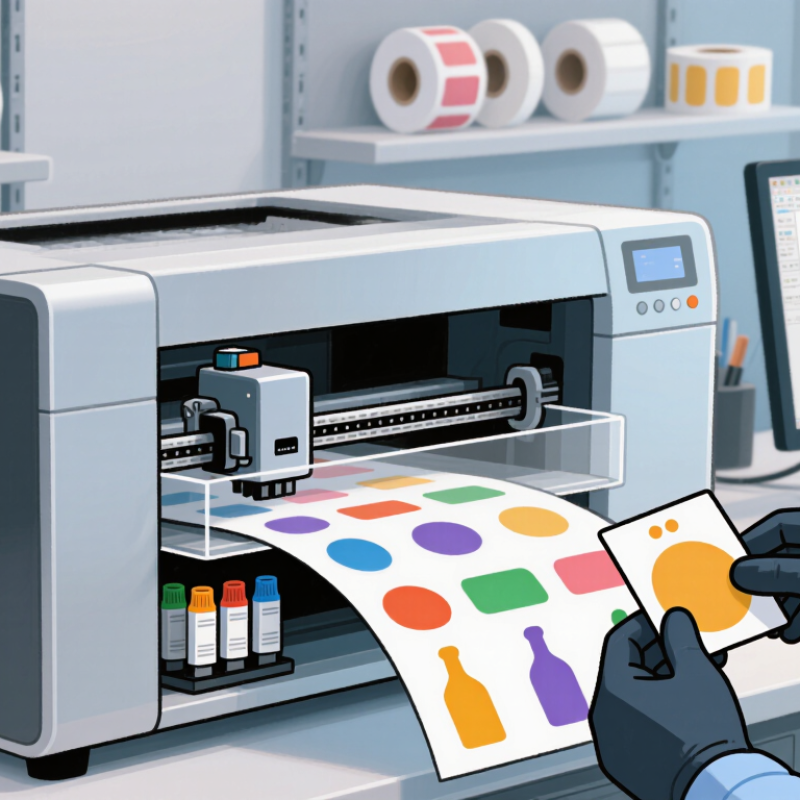
A die cut label printer prints and cuts labels into custom shapes in one production workflow. It uses rolls or sheets of adhesive material, depending on the machine design. The printer applies text, images, barcodes, or color layers to the label surface. A digital cutting tool then follows a programmed outline around each label.

The cut usually passes through the label face and adhesive, but not the backing paper. This process is often called kiss cutting. Some systems remove the surrounding waste material, leaving individual labels on a clean liner. Others deliver labels on a sheet or roll for later application. In practical use, accurate artwork and correct material settings matter greatly. A small pressure error can cut too deeply or leave corners attached. That is where real testing helps. The first sample is not always perfect.

Tips: Check the label size, corner radius, adhesive type, and liner thickness before printing. Run a short test batch. Inspect barcode readability and edge quality under normal lighting. Keep a spare cutting blade available, because worn tools can create rough edges. It is easy to overlook liner tension. Yet, uneven tension may shift the cut position across a long roll. Die cut printing works well for product labels, packaging seals, shipping marks, and shaped promotional stickers. Its flexibility reduces the need for large quantities of pre-made shapes. However, highly detailed designs may require slower cutting and more careful quality checks.
What Are the Main Parts of a Die Cut Label Printer?

What Is a Die Cut Label Printer and How Does It Work?

What Are the Main Parts of a Die Cut Label Printer?

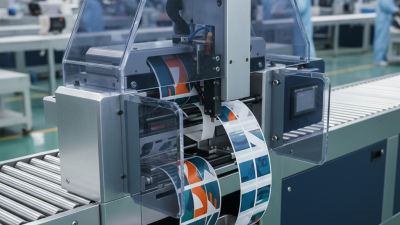
A die cut label printer combines printing, cutting, and finishing in one controlled line. Its unwinder holds the label roll and feeds the face material smoothly. The web passes through guide rollers and registration sensors. These sensors correct sideways movement and prevent inaccurate cuts. The print engine applies text, images, or variable codes. Digital systems are useful for short runs and frequent design changes. Smithers’ 2024 label-printing outlook identifies digital and hybrid production as important growth areas. That trend reflects a practical need for less setup waste.

The die-cutting station shapes each label against its liner. It may use a rotary cylinder or a flatbed tool. Cutting pressure must reach the adhesive layer without cutting the liner. After cutting, the matrix stripping unit removes the surrounding waste. A waste rewinder collects it beside the machine. Slitters then separate multiple lanes, while the finished-roll rewinder controls tension. The control panel connects these parts and stores job settings. In real production, this is where theory becomes messy. Material thickness, humidity, and adhesive behavior can change the result. FINAT Radar 2024 reported a 2.6% decline in European self-adhesive label demand during 2023, making efficient setup especially valuable.

Tips: Check the liner before every run. A curled liner can cause wrinkles and missed cuts. Start with low speed, inspect ten labels, then adjust pressure. Do not trust automatic settings completely. Record successful tension and blade values for repeat jobs.

How Does the Die Cutting Process Work?

A die cut label printer combines label printing with a cutting system that shapes each label around its artwork. The printer first places text, colors, and graphics on pressure-sensitive material. A cutting unit then follows a digital outline or a prepared metal die. The cut usually passes through the label face and adhesive, but not the backing liner. This method is called a kiss cut.

The die cutting process begins with artwork preparation. A technician adds a precise cut line around the design. Registration sensors then match this line with the printed image. During production, rollers guide the material beneath a blade or rotary cylinder. Cutting pressure must suit the label stock. Too much pressure can damage the liner, while too little pressure leaves uncut edges. Small test runs help operators adjust blade depth, speed, and alignment.

After cutting, surrounding material may be removed in a process called weeding. The finished labels remain on the liner, ready for dispensing or application. In my experience, rounded corners often release more smoothly than sharp points. Still, every material behaves differently. A glossy film can reflect sensors and cause minor alignment errors. That is easy to overlook. Regular checks of cut depth and waste removal improve consistency, although occasional imperfect edges may require a slower setting or revised artwork.

What Materials and Label Shapes Can It Handle?

A die cut label printer creates labels in custom shapes, rather than only rectangles. It prints artwork onto a chosen material, then uses a shaped blade to cut around each design. The result may be a small circle, a soft arch, or a detailed product silhouette. From practical testing, clean cutting depends on matching the blade, liner, and material thickness.

These printers can handle paper, coated paper, synthetic film, and some adhesive-backed materials. Paper gives a natural texture and works well for indoor packaging. Film resists moisture better, making it useful for bottles, jars, and chilled containers. Clear film can create a floating design, but white ink or a suitable print layer may be needed for strong colors. Metallic and textured stocks are possible, although feeding can become less stable. That detail is easy to underestimate.

Shape flexibility is a major advantage. Rounded corners reduce lifting, while narrow points and tiny gaps require careful settings. Very intricate edges may tear the liner or slow production. A simple test sheet should be produced before a large batch. In my experience, the most attractive shape is not always the most reliable one.

Tips: Check the material’s thickness and adhesive before printing. Keep the blade clean, and inspect the first labels under bright light. Leave enough space between designs for accurate cutting. If labels will face water, rubbing, or sunlight, test them in real conditions. Small adjustments often prevent expensive reprints.

What Is a Die Cut Label Printer and How Does It Work? - What Materials and Label Shapes Can It Handle?
Dimension Typical Option or Capability How It Works Practical Considerations
Definition A label-printing system that cuts printed material into individual label shapes. The printer creates the image, while a die-cutting unit uses a shaped blade or digital cutting tool to follow the label outline. The term may describe either a printer with integrated cutting or a printer paired with a separate finishing cutter.
Basic Workflow Design, print, cut, weed or matrix-strip, and dispense.
  1. The artwork is prepared with a defined cut line.
  2. The label stock is fed through the machine.
  3. Graphics and text are printed.
  4. The cutting system separates the label from its surrounding material.
Accurate registration between the printed image and the cut line is important, especially for small labels and detailed shapes.
Cutting Method Traditional die cutting or digital blade cutting. A traditional die uses a fixed shaped tool, whereas digital cutting uses a computer-controlled blade that can change the shape from one job to the next. Fixed dies are efficient for long runs of one shape. Digital cutting is more flexible for short runs, variable designs, and multiple shapes.
Paper and Cardstock Coated paper, uncoated paper, kraft paper, and lightweight cardstock. The adhesive label face stock is printed and cut through the face material and adhesive layer without normally cutting through the release liner. Paper is suitable for many indoor applications, but moisture, abrasion, and temperature exposure may require a protective coating or a synthetic material.
Polyester Film Durable synthetic film with good resistance to moisture, tearing, and abrasion. The film receives the printed image and is cut with a blade and pressure setting appropriate for its thickness and construction. Often selected for equipment labels, product identification, and applications requiring higher durability than paper.
Polypropylene Film Flexible synthetic film available in clear, white, and other finishes. The label is printed on the film surface and contour-cut while remaining attached to its liner until dispensing. Useful where moisture resistance and a smooth appearance are needed. Clear film requires careful control of ink coverage and contrast.
Polyethylene Film Flexible, conformable film for curved or squeezable containers. The cutting system follows the programmed outline while the flexible stock is controlled through the feed path. A suitable choice for flexible packaging and curved surfaces, but excessive cutting pressure can distort thin materials.
Adhesive Construction Permanent, removable, repositionable, or specialty adhesive layers. The cutter typically cuts the face stock and adhesive while leaving the release liner intact, creating a peelable label. The adhesive must match the application surface, temperature range, removal requirement, and expected exposure to moisture or chemicals.
Standard Shapes Rectangle, square, circle, oval, and rounded rectangle. The cut path is generated from geometric artwork or a predefined shape and then applied consistently across the label roll or sheet. Simple shapes generally allow faster production and easier weeding than complex contours.
Custom Shapes Logos, silhouettes, product outlines, tickets, tags, and irregular contours. A vector cut line defines the perimeter. Digital cutting systems can change the outline without manufacturing a new physical die. Intricate shapes may require slower cutting, wider spacing, stronger liner support, or a larger minimum corner radius.
Internal Cutouts Holes, windows, rings, and labels with open areas. The cutter follows both the outside contour and the internal paths, creating a label with one or more openings. Small internal details can be difficult to weed and may require a minimum feature size specified by the material and cutter.
Print-and-Cut Registration Alignment of printed graphics with the programmed cut line. Registration marks, optical sensors, or feed calibration help the system detect position and compensate for media movement. Curl, stretching, slippage, dust, and inconsistent media tension can reduce alignment accuracy.
Label Format Roll-fed or sheet-fed stock. Roll-fed systems advance continuous material, while sheet-fed systems process individual sheets or boards. Rolls are convenient for continuous production and dispensing. Sheets can be practical for prototypes, small batches, and specialty media.
Edge Finish Clean kiss-cut edge with the liner intact, or full through-cut separation. A kiss cut penetrates the label material and adhesive but not the liner. A through cut separates the complete stack or sheet. Kiss cutting is common for peel-and-stick labels. Through cutting is useful for individual tags, cards, and unsupported pieces.
Production Suitability Short-run customization through high-volume repeat production. Digital systems support variable data and quick design changes, while die-based systems can provide efficient repeat cutting at larger volumes. The best configuration depends on run length, material thickness, shape complexity, changeover frequency, and required finishing speed.

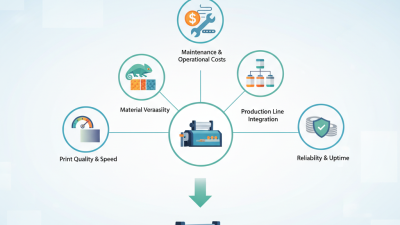
How Do You Choose and Use a Die Cut Label Printer?

A die cut label printer cuts printed material into custom shapes. It uses a digital file, adhesive stock, and a controlled cutting system. The machine may cut through the label face without slicing the backing liner. This creates clean, peel-ready pieces for jars, cartons, equipment, and short-run packaging.

Choose the printer by matching it to your workflow. Check maximum label width, cutting accuracy, media thickness, and color requirements. A small operation may value fast setup more than peak speed. Smithers reported that digital label and packaging printing generated roughly $18 billion in 2023, showing strong demand for flexible, short-run production. However, market growth does not guarantee a good purchase. Ask for sample cuts using your actual material. Tiny corners can expose weak cutting control.

Use vector artwork with clear bleed and safe margins. Keep small text away from the cut line. Before production, test pressure, blade depth, and feed tension on several sheets. The first sheet can mislead you. Inspect the edges under bright light; rough fibers often indicate excessive pressure or a dull blade. Keep spare blades and record successful settings for each stock. A 2024 report from the European label industry association noted continuing pressure on converters from energy, materials, and operating costs. That makes waste reduction practical, not cosmetic. Still, I would not chase the fastest machine. A slower printer with stable registration may produce more sellable labels.