How to Choose the Best Printing Machine for Your Business?
Choosing the right Printing Machine can shape your production speed, print quality, and long-term operating costs. It is not simply a choice between a digital press and an offset press. Your decision should reflect your daily workload, material types, color expectations, staff skills, and available workspace.
Frank Romano, a respected printing educator and industry authority, has said, “Printing is the mother of all industries.” His observation highlights the importance of choosing equipment carefully. A small marketing studio may need a compact digital machine for short runs, variable data, and fast delivery. A commercial printer producing thousands of identical brochures may gain better efficiency from an offset system. Packaging businesses face different demands, including thicker substrates, accurate registration, and specialized finishing.
Look closely at real production details. Measure your busiest week, not your average day. Check paper sizes, ink coverage, drying time, maintenance access, and energy use. Ask suppliers for test samples using your own files and materials. A glossy brochure may look excellent in a showroom, yet perform poorly on your recycled stock.
The fastest machine is not always the best investment. Neither is the cheapest.
Consider operator training, software compatibility, warranty response, and spare-part availability. These details often matter after installation, when a minor fault can delay an urgent order. No buying guide can predict every problem. I have seen businesses focus heavily on output speed and overlook finishing limitations. That mistake can become expensive.
This guide explains how to compare Printing Machine options with practical judgment, measurable requirements, and room for honest reassessment.
Define Your Printing Needs and Production Goals
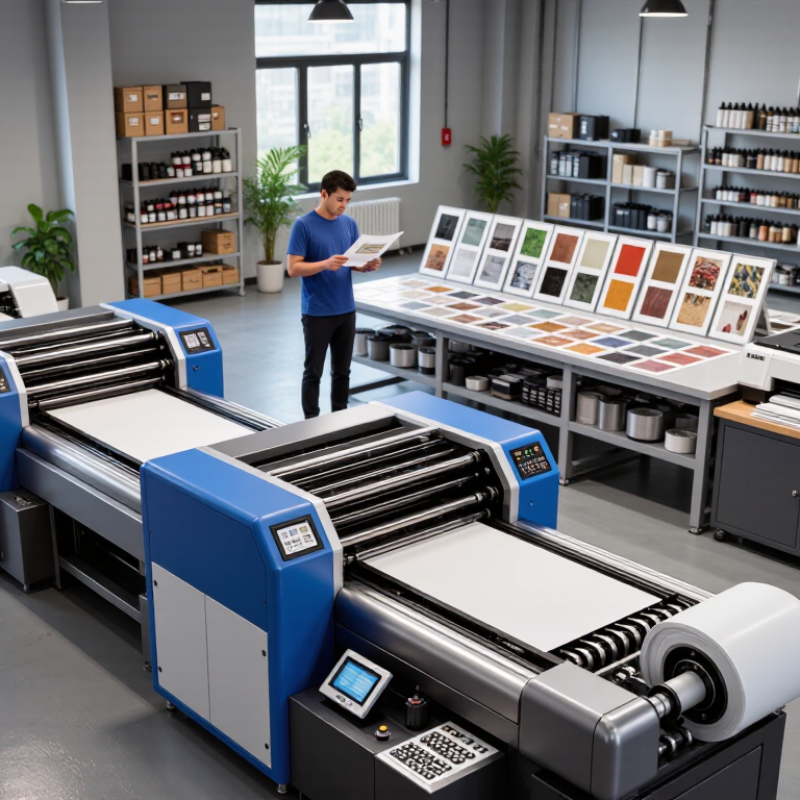
Choosing the best printing machine starts with defining your real printing needs. Estimate your weekly volume, material types, sheet sizes, and required finish. A machine for occasional brochures may struggle with daily packaging orders. Record your current workflow for one week. Note waiting time, manual adjustments, waste, and reprints. These details reveal production problems that specifications often hide. Speed matters, but stable output matters more.
Tips: Print a sample batch before deciding. Check fine text, solid colors, edges, and drying time. Ask operators to test the control panel. Their feedback is practical. Calculate the cost per finished sheet, including ink, power, maintenance, and rejected materials. Do not trust impressive speed alone.
Your production goals should guide the final choice. If orders may double within two years, leave room for higher capacity. However, buying far beyond your needs can waste floor space and capital. I once judged a machine mainly by its maximum speed, and that estimate was too optimistic. Actual results changed with paper thickness, artwork coverage, and operator experience. A reliable evaluation should include maintenance access, training requirements, safety features, and service response. Request written performance data and test identical files under normal working conditions. Small details can decide whether the machine supports growth or creates another bottleneck.
Compare Printer Types and Their Best Use Cases
How to Choose the Best Printing Machine for Your Business?
Choosing a printing machine starts with your daily workload, not its advertised speed.
Laser printers suit offices producing contracts, invoices, and reports. They deliver sharp text and handle heavy volumes efficiently.
Inkjet printers work better for colorful menus, product photos, and small marketing materials. However, ink costs can rise quickly when usage is unpredictable.
Thermal printers are practical for receipts, labels, and shipping information. They require little maintenance and print quietly at checkout counters or packing stations.
Wide-format printers support posters, banners, and architectural drawings. Their large footprint needs careful planning.
A multifunction printer can scan, copy, and print, but one breakdown may interrupt several tasks. I have seen businesses overlook this risk.
Tips:
Track monthly pages, color usage, paper sizes, and peak hours before buying. Test sample documents using your real paper. Check service access, replacement parts, and energy consumption. Do not choose speed alone. A slower machine may produce fewer errors and reduce waste. Also, estimate the cost per page over three years. This figure often changes the decision. A small office may need flexibility more than maximum output. A busy warehouse may value label reliability instead. Ask staff to review the workflow. Their practical feedback can reveal problems that specifications miss.
Evaluate Speed, Quality, Materials, and Workflow Features
Choosing a printing machine starts with your real production profile, not a brochure’s maximum speed. Count daily orders, average run length, peak hours, and missed deadlines. Smithers’ The Future of Digital Print to 2028 valued the global digital print market at about $136.7 billion in 2023. It forecasts approximately $230.5 billion by 2028. Growth creates pressure for faster output. Still, speed means little when setup time, drying, or reprints consume the day.
Quality should be tested on your actual files and substrates. Request samples using fine text, solid dark areas, gradients, and brand color references. Measure consistency with a spectrophotometer, not only visual judgment. Check paper, film, board, labels, and coated stock separately. A machine may handle one beautifully and struggle with another. It happens. FESPA’s 2023 Print Census collected responses from 1,778 printing professionals across 64 countries. Its broad findings reflect rising demand for shorter runs, quicker delivery, and expanded applications.
Workflow
features often protect profit better than headline speed. Look for automated preflight, reliable queue management, variable-data processing, color presets, remote monitoring, and clear maintenance alerts. Connect the machine with estimating or production software when possible. Track operator touches per job. Fewer interruptions usually mean fewer mistakes. However, automation is not automatically efficient. Poorly configured rules can delay urgent work. Test a full week of mixed jobs, including reprints and rush orders, before purchasing. Record actual throughput, waste, labor minutes, and color variation. Your first trial may expose assumptions worth challenging.
Calculate Total Ownership Costs and Maintenance Requirements
How to Choose the Best Printing Machine for Your Business?
Calculate Total Ownership Costs and Maintenance Requirements
Choosing a printing machine starts with more than its purchase price. Calculate the total ownership cost before comparing specifications. Include equipment, installation, training, software, energy, consumables, repairs, and downtime. A simple spreadsheet can expose expensive assumptions. For example, a machine using twelve consumable units monthly may cost more than expected. Use your actual workload, not the supplier’s ideal output.
Maintenance deserves its own line in the budget. Ask how often cleaning, calibration, filter replacement, and inspections are required. Record labor hours and service-call fees, even when they seem minor. A fifteen-minute cleaning routine can become several hours each week. Check whether staff can perform routine tasks safely and consistently. Some maintenance is easy. Some is not. Also measure warm-up time, paper waste, and restart delays. These small losses quietly reduce productive capacity.
Request a written maintenance schedule and realistic parts-life estimates. Clarify response times, warranty limits, and emergency support costs. Keep two or three months of usage records before final approval. This evidence improves the forecast and supports a more defensible purchase decision. I would also test the machine during a busy production period. Quiet demonstrations can hide heat, noise, jams, or awkward access panels. My own early estimates have been too optimistic. That is worth admitting. Revise the calculation after a trial, especially when labor or downtime changes.
Select a Machine That Fits Your Space and Future Growth
Choosing the best printing machine starts with your workspace, not the catalog. Measure doorways, ceiling height, ventilation routes, and electrical capacity. Leave clear space for loading, cleaning, and repairs. A machine that barely fits can slow production every day. Operators also need safe movement around paper stacks and finishing equipment.
Plan for growth, but avoid buying capacity you cannot use. Smithers’ report, The Future of Digital Print to 2027, forecasts strong expansion in digital print value through 2027. This suggests growing demand, but demand varies by product and region. Review your own orders first. Check monthly volume, peak seasons, media sizes, and expected color quality. A modular machine may provide better flexibility than a larger fixed system. I once saw a business choose speed over workflow space. Maintenance became frustrating within months.
Tips:
Draw the machine footprint on the floor with tape. Test the operator’s walking path. Ask suppliers for power, ventilation, and service-clearance requirements. Calculate total ownership costs, including ink, energy, maintenance, labor, and waste. Select equipment that can accept future modules or software upgrades. Industry reports offer useful direction, not certainty. Your local workload matters more. Also, leave some financial room for training, unexpected repairs, and changing customer preferences.

 Contact immediately

 Contact Phone
 Contact Email